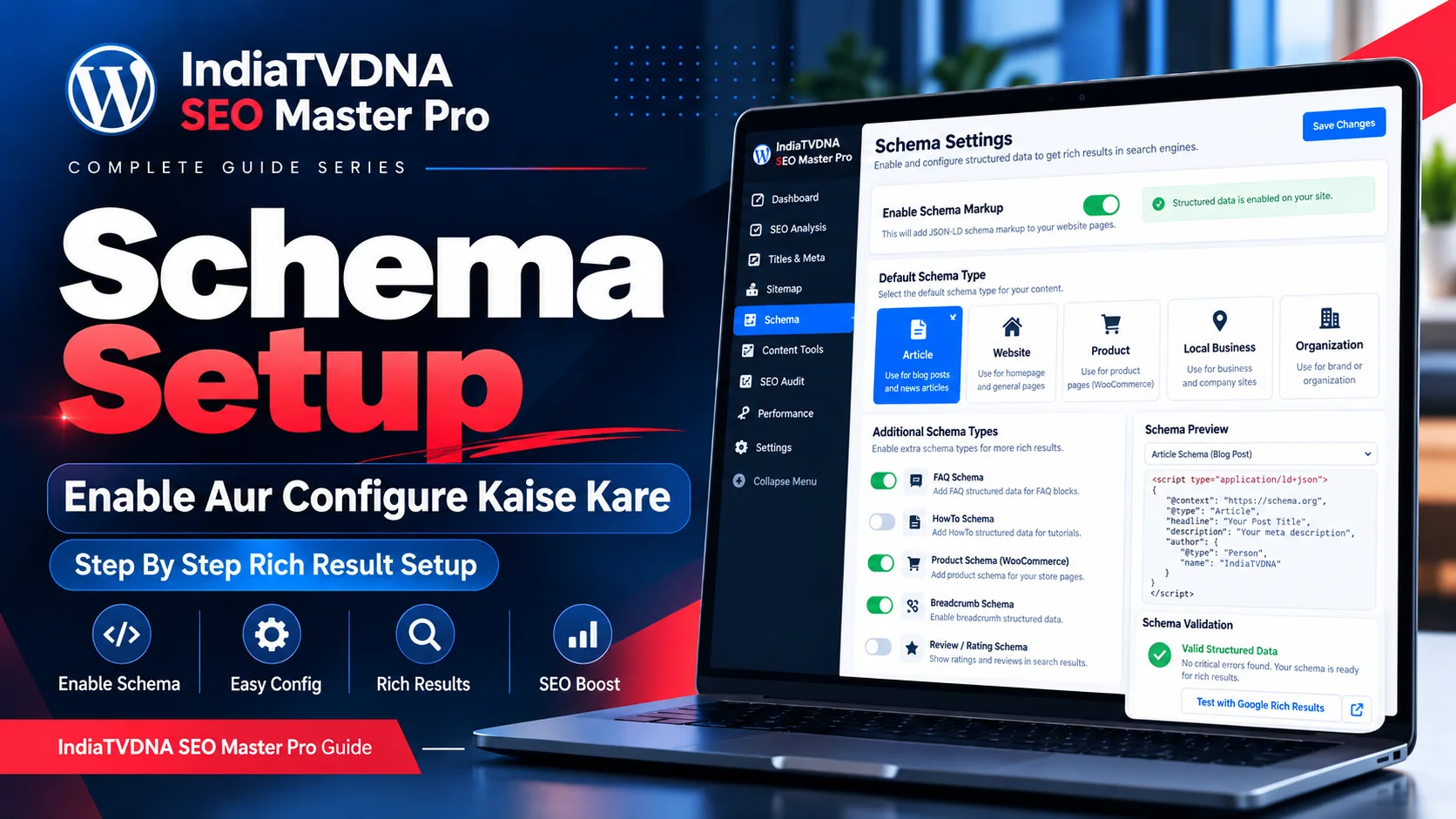
SEO Master Pro Schema को enable और configure करने की full Hindi guide: default type, Article, Product, FAQ, Breadcrumb, Organization, per-post overrides, validation और duplicate schema troubleshooting।
Schema setup करते समय सबसे बड़ा rule है: सही page पर सही type और real data। सिर्फ green validation पाने के लिए fake या irrelevant fields नहीं भरने चाहिए।
यह guide safe baseline से शुरू करके blog, business और WooCommerce cases तक step-by-step process देती है।
1. Schema enable करने से पहले conflict check
Theme, WooCommerce और दूसरे SEO plugins पहले से JSON-LD output कर सकते हैं। SEO Master schema enable करने से पहले 2-3 sample pages source में application/ld+json search करें। Existing provider useful/complete है तो duplicate strategy avoid करें।
- Current JSON-LD blocks count करें।
- Product page sample।
- Blog post sample।
- Homepage sample।
2. Schema module enable करें
SEO Master Pro Schema section में master toggle/feature enable करें। Save करने के बाद module status active दिखना चाहिए। Feature integrity warning हो तो schema output verify किए बिना bulk configure न करें।
- Enable।
- Save।
- Status check।
- Cache purge if needed।
3. Default Schema Type चुनें
Default type site/content context के अनुसार चुनें। Blog posts के लिए Article/BlogPosting suitable हो सकता है, homepage के लिए Website/Organization और product pages के लिए Product अलग rules मांगते हैं। एक global default सभी post types पर force न करें अगर post-type mapping available है।
- Posts → Article/BlogPosting।
- Products → Product।
- Homepage/site identity → Website/Organization।
4. Article schema configure करें
Headline post title से, author real author से, dates WordPress publish/modified data से और image actual featured image से map करें। Publisher name/logo accurate रखें। Missing featured image या anonymous author cases में sensible fallback रखें।
- Headline।
- Author।
- Publish/modified dates।
- Image।
- Publisher।
5. WooCommerce Product schema configure करें
Product schema data WooCommerce product fields से map होना चाहिए। Price, currency, availability, SKU, brand, GTIN/MPN और images real product data से आएँ। Variation products में offer/variation mapping carefully verify करें।
- Name/image।
- Price/currency।
- Stock availability।
- SKU/GTIN/MPN।
- Brand।
6. FAQ और HowTo schema
FAQ तभी enable करें जब page पर actual Q&A section हो। HowTo तभी जब visible steps और necessary details मौजूद हों। Auto-generated hidden FAQ सिर्फ schema के लिए बनाना avoid करें।
- Visible content required।
- Question/answer exact match।
- Step order accurate।
7. Breadcrumb schema
Breadcrumb schema enable करने से पहले visible breadcrumb provider decide करें। Theme breadcrumbs active हों तो SEO Master duplicate output न करे। Hierarchy canonical site structure से match हो।
- One breadcrumb provider।
- Correct parent/category trail।
- No broken links।
8. Organization / LocalBusiness setup
Brand name, logo, website URL और social profiles accurate रखें। LocalBusiness use करें तो वास्तविक address, phone और opening hours दें। Privacy/virtual-office constraints के कारण fake address add न करें।
- Real business data।
- Consistent NAP।
- Official logo/social URLs।
9. Per-post schema override
कुछ posts default Article से अलग type चाहते हैं—जैसे software product, event या recipe। Per-post override support हो तो page purpose के अनुसार use करें। Override करने के बाद old/default schema duplicate नहीं होना चाहिए।
- Page intent identify।
- Correct type select।
- Required fields complete।
- Duplicate check।
10. Save और rendered output test
Settings save करें, cache purge करें और public URL open करें। View source में JSON-LD देखें। फिर external validator में URL test करें। Admin preview valid होने के बावजूद frontend conflict हो सकता है, इसलिए rendered test जरूरी है।
- JSON valid।
- Correct @type।
- Correct URLs/images।
- No duplicate conflicting objects।
11. Rich Results Test में warnings/errors
Error required field missing या invalid format का संकेत हो सकता है। Warning recommended field missing हो सकती है और हर warning critical नहीं। Documentation/context पढ़ें। Fake data से warning suppress करना गलत है।
- Errors first।
- Warnings context में।
- Fake data से warning suppress न करें।
12. Troubleshooting duplicate schema
अगर Product/Article दो बार आ रहा है तो theme, WooCommerce core, another SEO plugin या custom snippet isolate करें। एक provider बंद करके source compare करें। Changes के बाद cache/CDN clear करना न भूलें।
- Provider inventory बनाएं।
- One-by-one disable test।
- Rendered source compare।
- Cache clear।
13. Final schema checklist
Schema setup complete तभी मानें जब markup valid ही नहीं, बल्कि visible page data से consistent और non-duplicate भी हो।
- Relevant type।
- Real fields।
- Single primary provider।
- Validator pass।
- No misleading claims।
Frequently Asked Questions
Default mapping मदद करता है, लेकिन post types और special pages को sample करके verify करना जरूरी है।
Plugin build/field mapping के अनुसार हाँ, लेकिन price/stock/identifier output को live product page पर verify करें।
View source में JSON-LD blocks inspect करें और validator output में repeated/conflicting entities देखें।
- IndiaTVDNA SEO Master Pro Schema Markup क्या है? Structured Data, Rich Results और WooCommerce SEO की Complete Guide
- IndiaTVDNA SEO Master Pro Titles & Meta Best Settings: Homepage, Posts, Pages, Products और Archives Setup Guide
- IndiaTVDNA SEO Master Pro XML Sitemap Setup कैसे करें? Google Search Console Submission और Error Fix Step-by-Step
Leave a Reply